
Last week was challengingly busy at work: we launched preview support for Claude Opus 4.1 and GPT-5 in GitHub Copilot and VS Code. To celebrate, I put them through their paces to get a feel for how they work in extended coding sessions.
I’ve had a Tidbyt digital display for a while, and love the design and functionality. Unfortunately support for it has been discontinued, as the makers got acquired. So I’ve been keen to understand how easy it is to do something similar myself. I picked up a 1280x400 external monitor from Amazon, and thought that combined with my Raspberry Pi I could probably create something quite similar.
How I did it
This project was heavily guided, and often directly written, by AI. I worked exclusively in VS Code, switching Copilot between the two models.
It all started with a Product Requirements Document (PRD). Claude Opus 4.1 generated a basic outline for a simple, template-based digital display system based on my description. This anchored the project, allowing me to define constraints and functionality (e.g., 1280x400 display, local testing on Mac). My “conversation” with the PRD shaped the design decisions, though I periodically had to rein in the AI’s tendency for over-elaboration.
For implementation, I turned to GPT-5, guided by the PRD. Opus had described phases of implementation, so we tackled it in chunks. Copilot proved efficient at creating greenfield code, reaching a runnable state with minimal intervention. I was particularly pleased with the self-playing game of snake! For new features, I’d return to Opus to update the PRD.
Debugging, however, proved challenging. Like human coding, it slowed things down significantly. I watched the AI struggle to find clues, writing increasingly elaborate rewrites of the code to satisfy one erroneous test, rather than challenge the test’s correctness.
Another hiccup: AIs can be overly enthusiastic, designing unnecessary affordances. At one point, it added three different aliases for a command-line option. After correcting it, I also asked it to update Copilot’s instructions to avoid similar instances of over-elaboration. It’s nice that you can codify this and not have to continually fight the battle.
Despite their helpfulness, AIs often prioritize “more is better” over good UX. Copilot, for instance, offered three ways to use JSON for configuration but didn’t suggest command-line arguments until I explicitly instructed it to. In the future I will improve my workflow to have Copilot audit for its own exuberance.
Hiccups aside, I went from idea all the way to deployment on a Raspberry Pi in a weekend. This would have been weeks of work otherwise, and using Copilot made it viable for a weekend passion project.
The result of this AI-powered weekend is hdisplay . It’s a Node.js-based server for defining and rotating visual templates like weather, photos, or custom messages. The display is simply a browser running in kiosk mode.
Copilot made some smart choices, enabling control from any local network machine using client software and leveraging mDNS to avoid memorizing IP addresses. It also is great for arcane knowledge that you only need once a year—in this case, systemd configuration and ffmpeg options! I’m especially pleased with the extensible template design, which simplifies creating new visualizations. I definitely intend to add more templates, expanding hdisplay’s functionality and visual appeal.
Reflecting on this journey, I found that pair programming with Copilot still feels like real programming. I still engage in making design decisions and creating an overall model of how things should work. I still need architectural understanding of web applications and operating systems. What accelerated me is that I’m saved a lot of typing, the pain of having to learn the ins and outs of every framework, and documentation is much easier to keep up-to-date.
Check out the GitHub repo’s README for a full list of functionality, with screenshots and videos. Here’s a few selected highlights.
Screenshots of hdisplay in action
The screenshots and videos were taken with the help of Copilot itself. We built a framework to automatically capture these , and account for the optimal time to take each of them.

Meeting timer: simple display showing how long is left
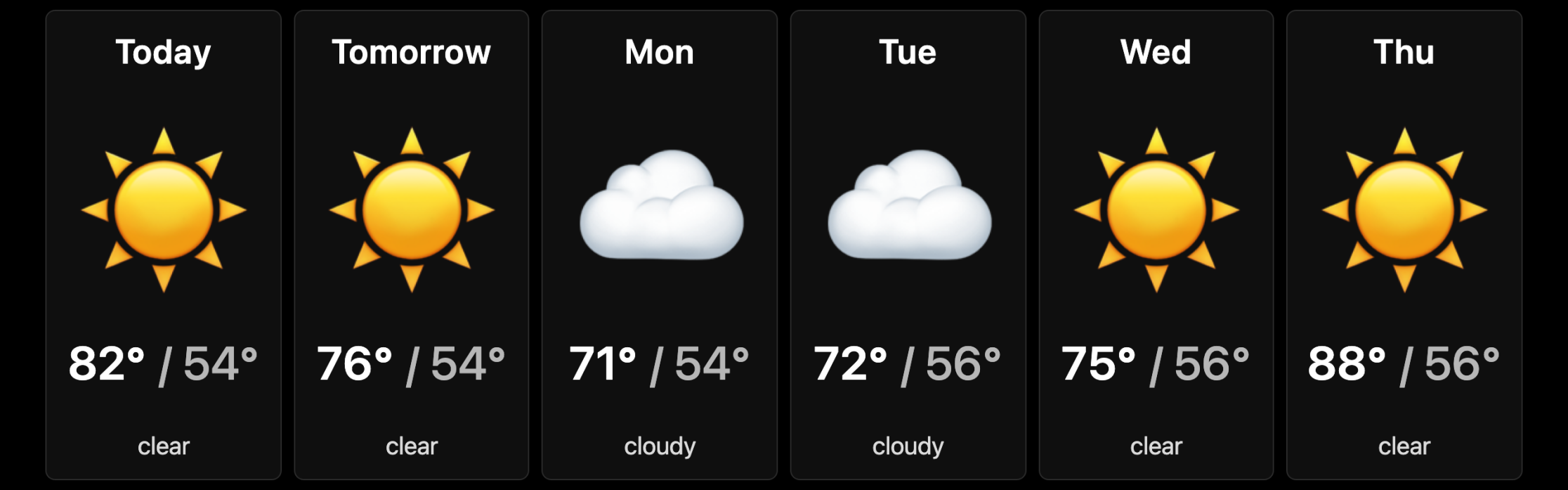
Weather forecast

Self-playing game of snake. This might be my favorite!